Selected work
Systems we built and still support today. Each one started by sitting with the people who use it.
Device financing
EasyOwn
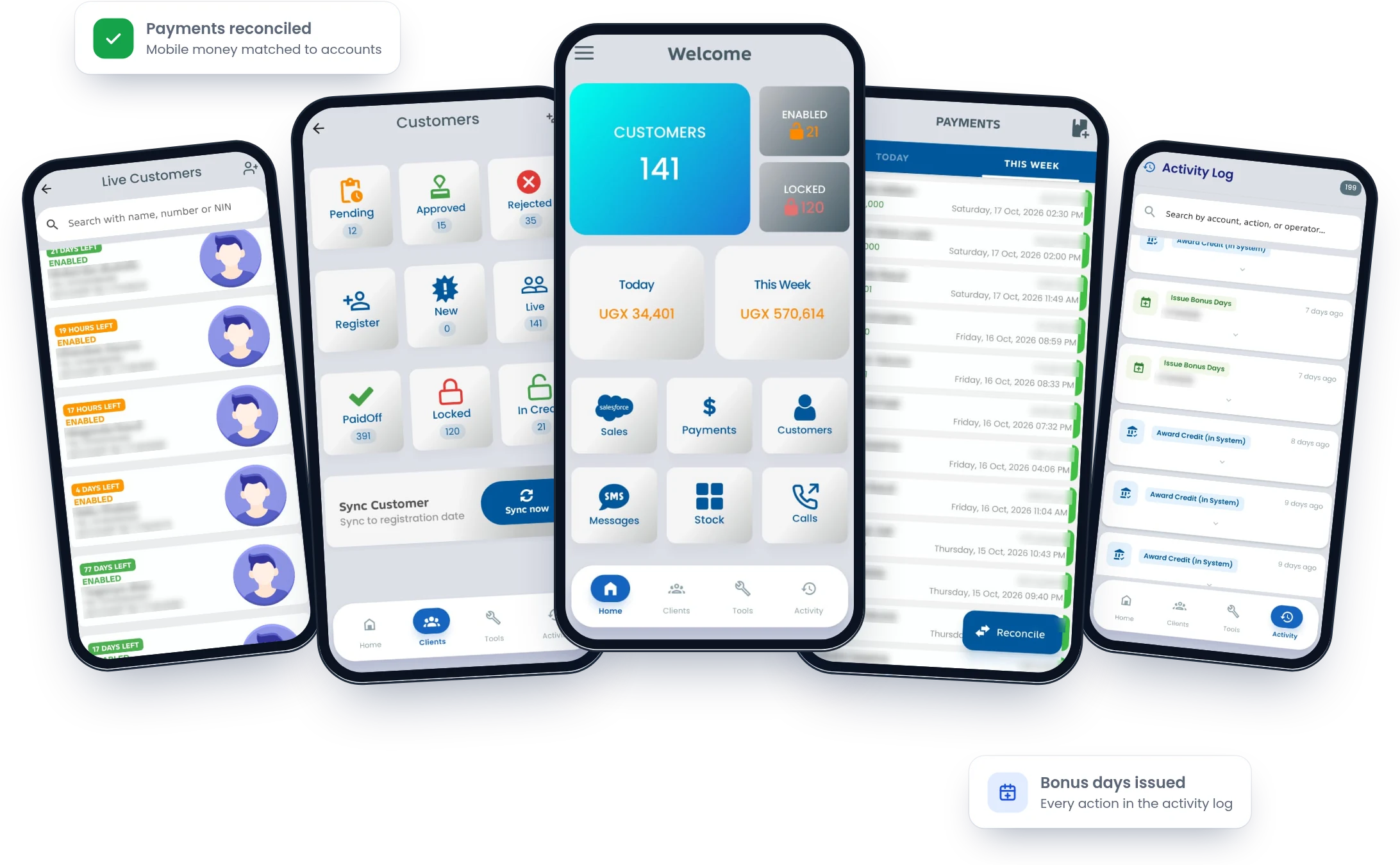
A mobile app that lets a pay-as-you-go device business run sales, customers, payments and collections from a phone.
The problem
Customer accounts, payments and device status were scattered across tools. Staff in the field couldn't see who had paid, whose credit was running out or which accounts needed a call.
What we built
- A home dashboard with live customers, enabled and locked accounts, and today's and this week's collections
- Customers grouped by stage: pending, approved, rejected, new, live, paid off, locked and in credit
- Customer registration from the phone, with search by name, number or NIN
- Each live account's remaining credit time, highlighted as it runs low
- Payments for today and this week, with references and one-tap reconciliation
- Credit awards and bonus days, recorded in an activity log searchable by account, action or staff member
- Sales, stock, SMS messages and call tools in the same app
Supported by Arltech since go-live
Modules in the system
- Home dashboard
- Customers
- Registration
- Live customers
- Payments
- Reconciliation
- Sales
- Stock
- Messages
- Calls
- Tools
- Activity log
Teacher training college
Bishop Willis Core PTC
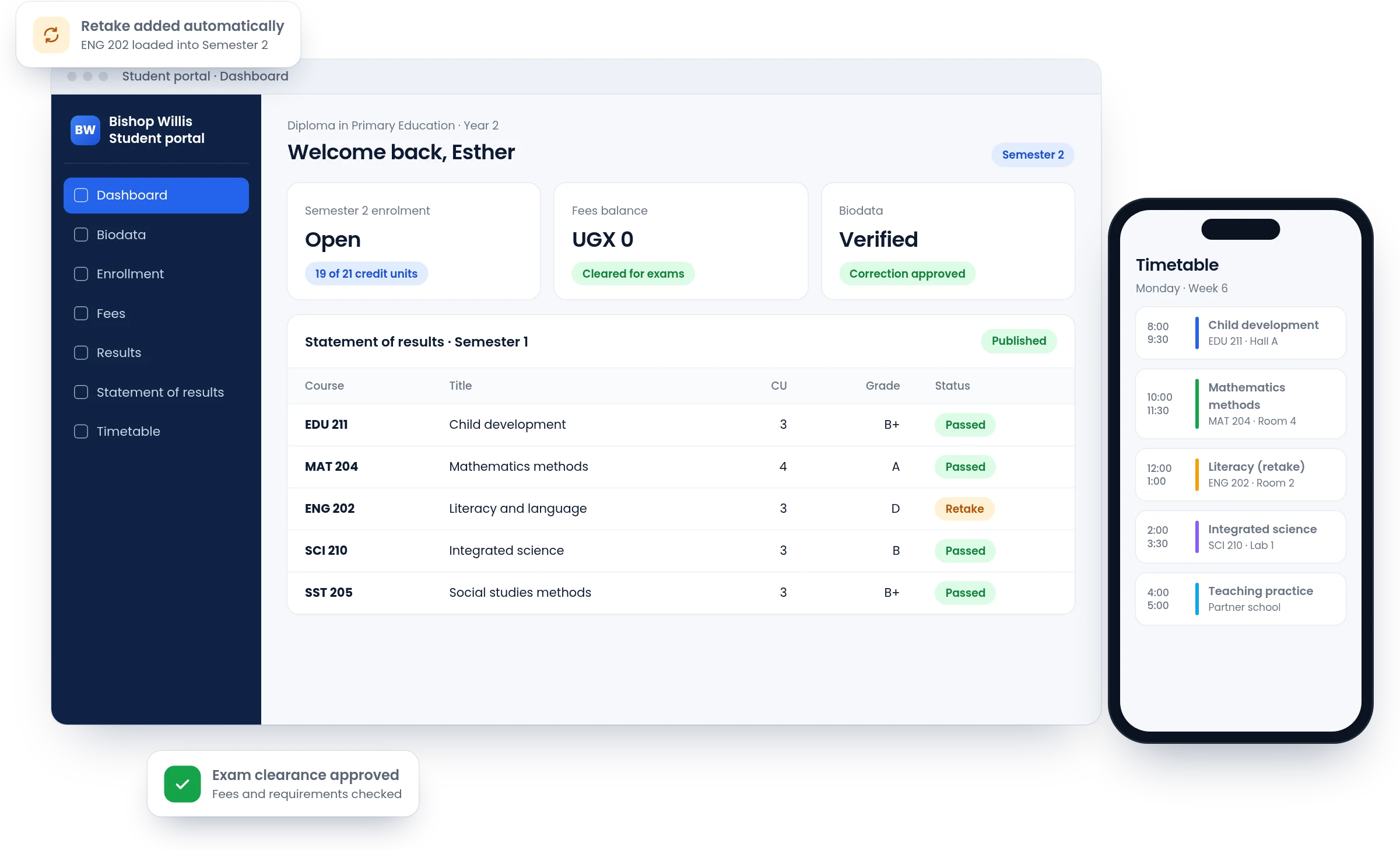
A college management system and student portal covering the whole student journey, from admission to transcript.
The problem
Student records, enrolment, results and fees lived in separate files. Students queued at offices for answers a system should have given them in seconds, and staff rebuilt the same lists every semester.
What we built
- A student portal for biodata, self-enrolment, fees, results, statements of results and timetables
- Biodata corrections through an appeal that staff review, instead of edits at the office
- Admissions, from setting up an intake to processing applications
- Coursework marks, exam results and transcripts, with retakes loaded automatically below the pass mark
- Exam clearance before students sit their papers
- Fee structures, payments, arrears reports and budgets
- Staff dashboards where every action follows the user's permissions, with an audit trail
Supported by Arltech since go-live
Modules in the system
- Admissions
- Enrollment
- Students
- Curriculum
- Timetable
- Exams
- Results
- Clearance
- Fees
- Finance
- Library
- HR
- Lecturers
- Departments
- Procurement
- Inventory
- Assets
- Catering
- Guild
- Alumni
- Communications
- Reports
- Permissions
- Audit
Retail
Mathita Baby Shop
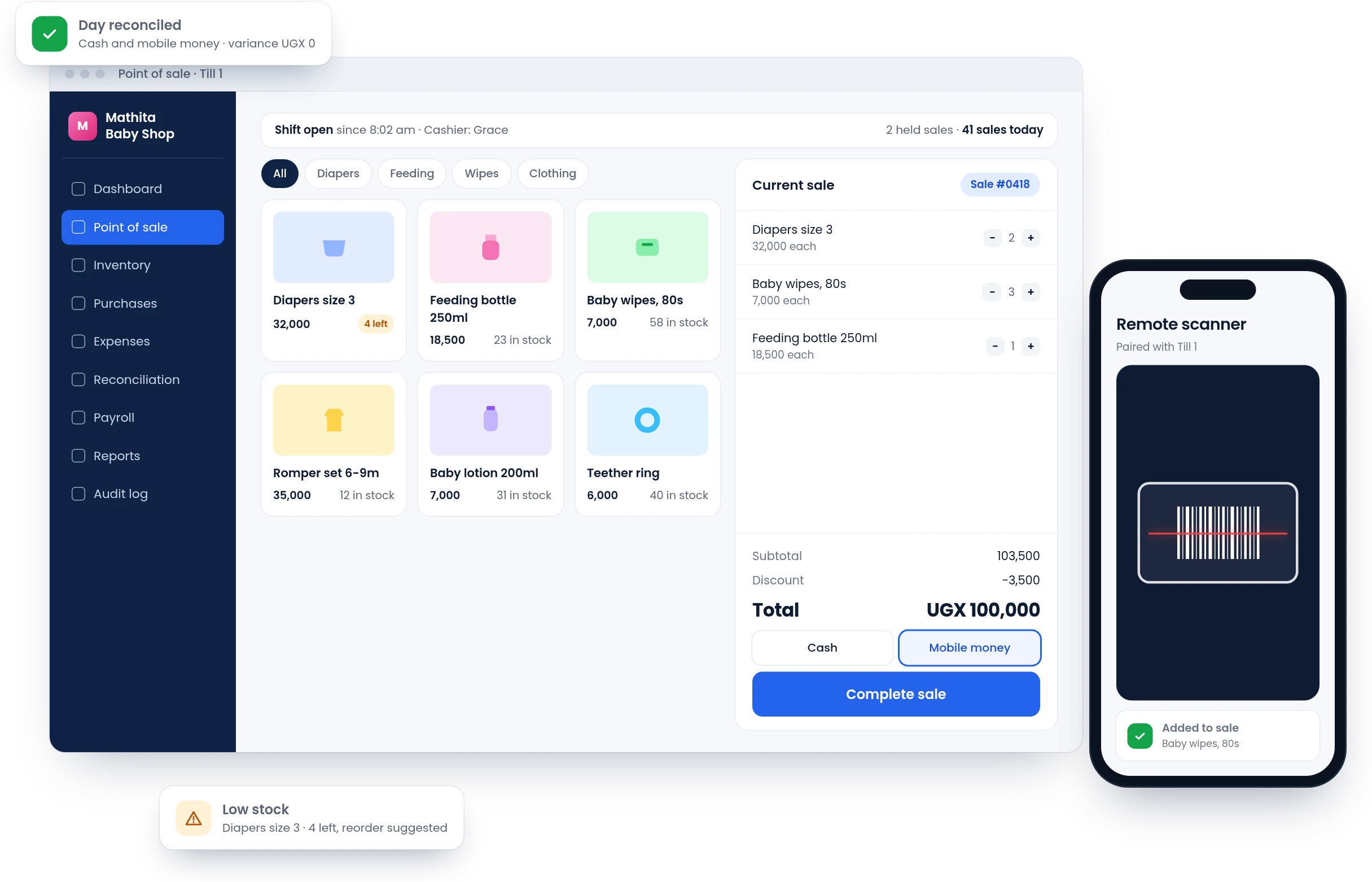
Point of sale and back office for a baby products shop, from the barcode scan at the till to the end-of-day count.
The problem
Sales, stock and expenses were tracked by hand. It was hard to see the day's profit, reorder in time or notice when stock or cash went missing.
What we built
- A fast till with held sales, discounts, receipts and sales history
- Barcode scanning and printed barcode labels, with any phone pairing as a remote scanner
- Shift clock-in, so every sale belongs to a cashier and a shift
- Inventory and purchases with low-stock and reorder lists
- Payment reconciliation by period, with variances flagged
- Expenses, employees and payroll
- Reports on sales trends, top sellers, categories, dead stock and capital
- An audit log of who changed what, and when
Supported by Arltech since go-live
Modules in the system
- Point of sale
- Inventory
- Purchases
- Expenses
- Reconciliation
- Employees
- Payroll
- Reports
- Audit log
- Remote scanner
Have a system like this in mind?
Describe it in a few lines, the way you'd explain it to a colleague. We'll take it from there, with no sales calls and no obligation.
What happens next
- We reply within two working daysWith questions about how your team works today.
- A short callTo understand the problem, on the phone or in person.
- A written proposalScope, timeline and cost. No obligation.
- +256 786 038 292
- [email protected]
- Monday to Friday, 8 am to 5 pm