Solutions
Point of sale that tells you where the stock and cash went
For shops and small chains. A fast till for the cashier, stock that counts itself, and an end-of-day close that shows the owner where every shilling went.
What you get
What changes when it's in place
A till that keeps up
Quick search, held sales, discounts, receipts, and cash and mobile money on the same sale. Built for a queue on a Saturday.
Barcodes, even without a scanner
Scan products, print your own barcode labels, or pair any phone as a remote scanner.
Every sale has a name
Cashiers clock in to a shift, so every sale, refund and discount belongs to a person and a time.
Stock and purchases
Record deliveries from suppliers, see low-stock and reorder lists, and spot the slow movers before they expire on the shelf.
End-of-day in minutes
Count the cash and mobile money, and the system shows the difference against recorded sales, per shift.
Profit, not just sales
Expenses, payroll and reports on top sellers, categories, dead stock and capital, so you know what the month really made.
Already running
Mathita Baby Shop
Retail
Point of sale and back office for a baby products shop, from the barcode scan at the till to the end-of-day count.
Before: Sales, stock and expenses were tracked by hand. It was hard to see the day's profit, reorder in time or notice when stock or cash went missing.
Read how we built it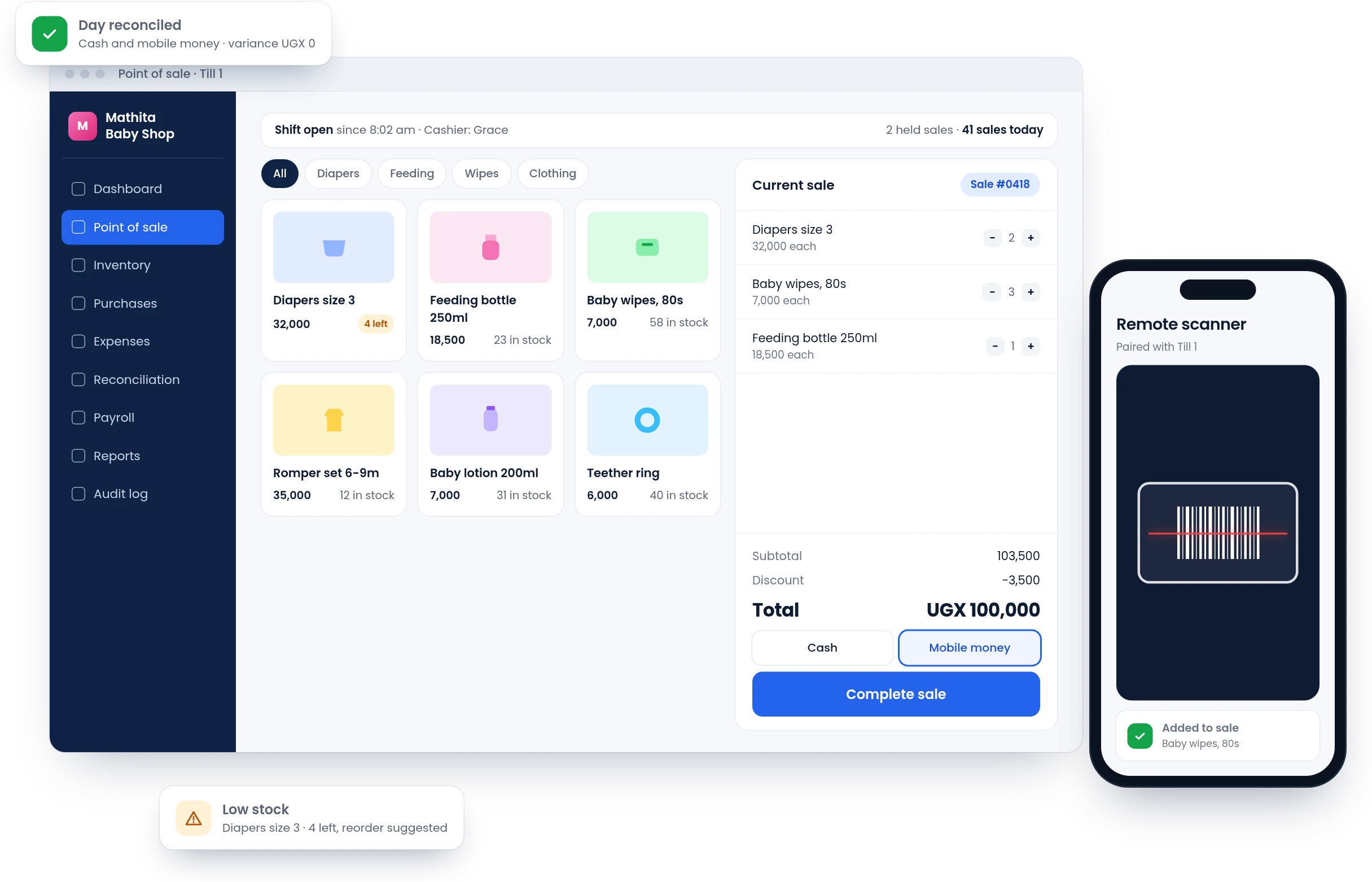
How we work
How it usually goes
Watch a day in the shop
We spend time at the counter and in the store room to see how sales, deliveries and cash really move.
Load your products
We bring in your product list and prices, and help you print barcode labels for anything without one.
Run alongside the book
For the first days the till runs next to your current method, so you can trust it before you let go.
Check the first month together
We go through the first month's reports with you and adjust what you need to see.
An honest fit
Is this right for you?
We'd rather tell you now than sell you something you don't need.
A good fit if
- You have more than one cashier, or you're often away from the shop
- Stock losses or cash differences are a regular worry
- You want to see profit, not just takings
Probably not yet if
- A simple till app on a tablet already does what you need. Keep it
What hardware do we need?
A computer or tablet for the till and a receipt printer. A barcode scanner helps, but any phone can act as one.
What happens when the internet or power goes off?
A till has to keep working. Before we decide how and where it runs, we talk through your connection and power situation honestly.
We have more than one branch. Does that work?
Yes. Stock and sales are kept per branch, with one view for the owner across all of them.
Can it handle mobile money payments?
Yes. A sale can be paid in cash, mobile money or both, and each is counted separately at the end of the day.
Tell us what's slowing your team down.
Describe it in a few lines, the way you'd explain it to a colleague. We'll take it from there, with no sales calls and no obligation.
What happens next
- We reply within two working daysWith questions about how your team works today.
- A short callTo understand the problem, on the phone or in person.
- A written proposalScope, timeline and cost. No obligation.
- +256 786 038 292
- [email protected]
- Monday to Friday, 8 am to 5 pm